What Does a FAIL Message Mean?
A FAIL message on your Bartlett controller indicates an issue with either the thermocouple or the controller itself. It’s important to identify the root cause to resolve the problem quickly.


A FAIL message on your Bartlett controller can be frustrating, but understanding its cause and knowing how to fix it can get your kiln back up and running in no time.
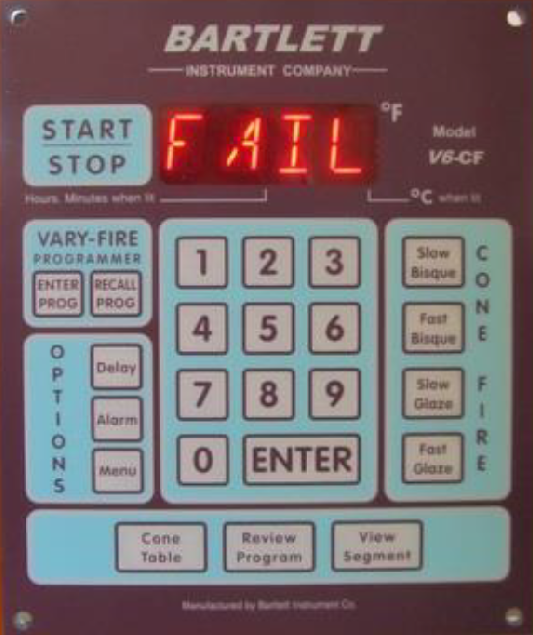
A FAIL message on your Bartlett controller indicates an issue with either the thermocouple or the controller itself. It’s important to identify the root cause to resolve the problem quickly.
• Steady FAIL Message: Indicates that all thermocouples have failed.
• Flashing FAIL Message: Alternates with TC1, TC2, or TC3, indicating which specific thermocouple has failed.
To determine whether the issue lies with the thermocouple or the controller, perform a Thermocouple Bypass Test:
Thermocouples are one of the most frequently replaced parts in a kiln. If you encounter a FAIL message, having a spare thermocouple on hand can save you time and frustration. Learn more about the importance of keeping a spare thermocouple in our Spare Thermocouple Guide.